 8bb4eba080
Initial attempt to get display traits working with ASEnvironment.

To get proper ASDisplayTraits support, you must use an ASViewController. The ASViewController implements UITraitCollection-related methods (`traitCollectionDidChange:`, `willTransitionToTraitCollection:withTransitionCoordinator:`, viewWillTransitionToSize:withTransitionCoordinator`) to update the internal ASDisplayTraits and propagate them to subnodes.

ASTableNode and ASCollectionNode don't actually have their cells as subnodes, so a little bit of trickery is involved (on `setEnvironment:` the table/collection node gets its data controllers completedNodes and propagates the new traits. see `ASDisplayTraitsCollectionTableSetEnvironmentState`). The data controller also passes the current display traits when creating new cells.

ASViewController also supports the ability to return a custom set of display traits. So if you have a modal dialog that should always be told it is in a compact size class, you can set the override block before displaying the VC.

A new example, called Display Traits, has been added. It shows how display traits can be used in a ASViewController with a normal ASDisplayNode as its root, as well as in ASViewControllers hosting table nodes and collection nodes. There is also an example of overriding the default display traits of a VC.

Please provide feedback!
Sample projects
Building
Run pod install in each sample project directory to set up their
dependencies.
Example Catalog
ASCollectionView [ObjC]

Featuring:
- ASCollectionView with header/footer supplementary node support
- ASCollectionView batch API
- ASDelegateProxy
ASTableViewStressTest [ObjC]

ASViewController [ObjC]

Featuring:
- ASViewController
- ASTableView
- ASMultiplexImageNode
- ASLayoutSpec
BackgroundPropertySetting [Swift]

Featuring:
- ASDK Swift compatibility
- ASViewController
- ASCollectionView
- thread affinity
- ASLayoutSpec
CarthageBuildTest
CatDealsCollectionView [ObjC]

Featuring:
- ASCollectionView
- ASRangeTuningParameters
- Placeholder Images
- ASLayoutSpec
CollectionViewWithViewControllerCells [ObjC]
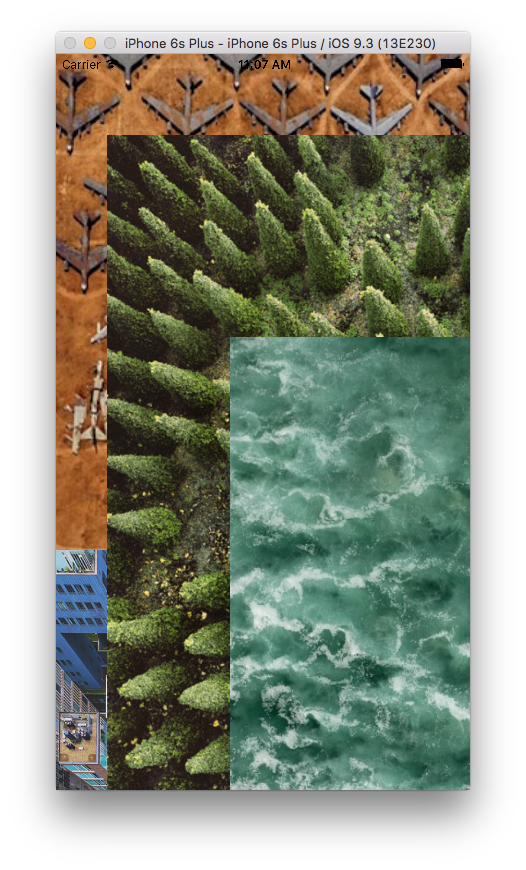
Featuring:
- custom collection view layout
- ASLayoutSpec
- ASMultiplexImageNode
CustomCollectionView [ObjC]

Featuring:
- custom collection view layout
- ASCollectionView with sections
EditableText [ObjC]

Featuring:
- ASEditableTextNode
HorizontalwithinVerticalScrolling [ObjC]

Featuring:
- UIViewController with ASTableView
- ASCollectionView
- ASCellNode
Kittens [ObjC]

Featuring:
- UIViewController with ASTableView
- ASCellNodes with ASNetworkImageNode and ASTextNode
Multiplex [ObjC]

Featuring:
- ASMultiplexImageNode (with artificial delay inserted)
- ASLayoutSpec
PagerNode [ObjC]
Featuring:
- ASPagerNode
Placeholders [ObjC]
Featuring:
- ASDisplayNodes now have an overidable method -placeholderImage that lets you provide a custom UIImage to display while a node is displaying asyncronously. The default implementation of this method returns nil and thus does nothing. A provided example project also demonstrates using the placeholder API.
SocialAppLayout [ObjC]

Featuring:
- ASLayoutSpec
- UIViewController with ASTableView
Swift [Swift]

Featuring:
- ASViewController with ASTableNode
SynchronousConcurrency [ObjC]

Implementation of Synchronous Concurrency features for AsyncDisplayKit 2.0
This provides internal features on _ASAsyncTransaction and ASDisplayNode to facilitate implementing public API that allows clients to choose if they would prefer to block on the completion of unfinished rendering, rather than allow a placeholder state to become visible.
The internal features are: -[_ASAsyncTransaction waitUntilComplete] -[ASDisplayNode recursivelyEnsureDisplay]
Also provided are two such implementations: -[ASCellNode setNeverShowPlaceholders:], which integrates with both Tables and Collections -[ASViewController setNeverShowPlaceholders:], which should work with Nav and Tab controllers.
Lastly, on ASDisplayNode, a new property .shouldBypassEnsureDisplay allows individual node types to exempt themselves from blocking the main thread on their display.
By implementing the feature at the ASCellNode level rather than ASTableView & ASCollectionView, developers can retain fine-grained control on display characteristics. For example, certain cell types may be appropriate to display to the user with placeholders, whereas others may not.
SynchronousKittens [ObjC]
VerticalWithinHorizontalScrolling [ObjC]

Features:
- UIViewController containing ASPagerNode containing ASTableNodes
Videos [ObjC]

Featuring:
- ASVideoNode
VideoTableView [ObjC]

Featuring:
- ASVideoNode
- ASTableView
- ASCellNode
License
This file provided by Facebook is for non-commercial testing and evaluation
purposes only.  Facebook reserves all rights not expressly granted.

THE SOFTWARE IS PROVIDED "AS IS", WITHOUT WARRANTY OF ANY KIND, EXPRESS OR
IMPLIED, INCLUDING BUT NOT LIMITED TO THE WARRANTIES OF MERCHANTABILITY,
FITNESS FOR A PARTICULAR PURPOSE AND NONINFRINGEMENT. IN NO EVENT SHALL
FACEBOOK BE LIABLE FOR ANY CLAIM, DAMAGES OR OTHER LIABILITY, WHETHER IN AN
ACTION OF CONTRACT, TORT OR OTHERWISE, ARISING FROM, OUT OF OR IN
CONNECTION WITH THE SOFTWARE OR THE USE OR OTHER DEALINGS IN THE SOFTWARE.